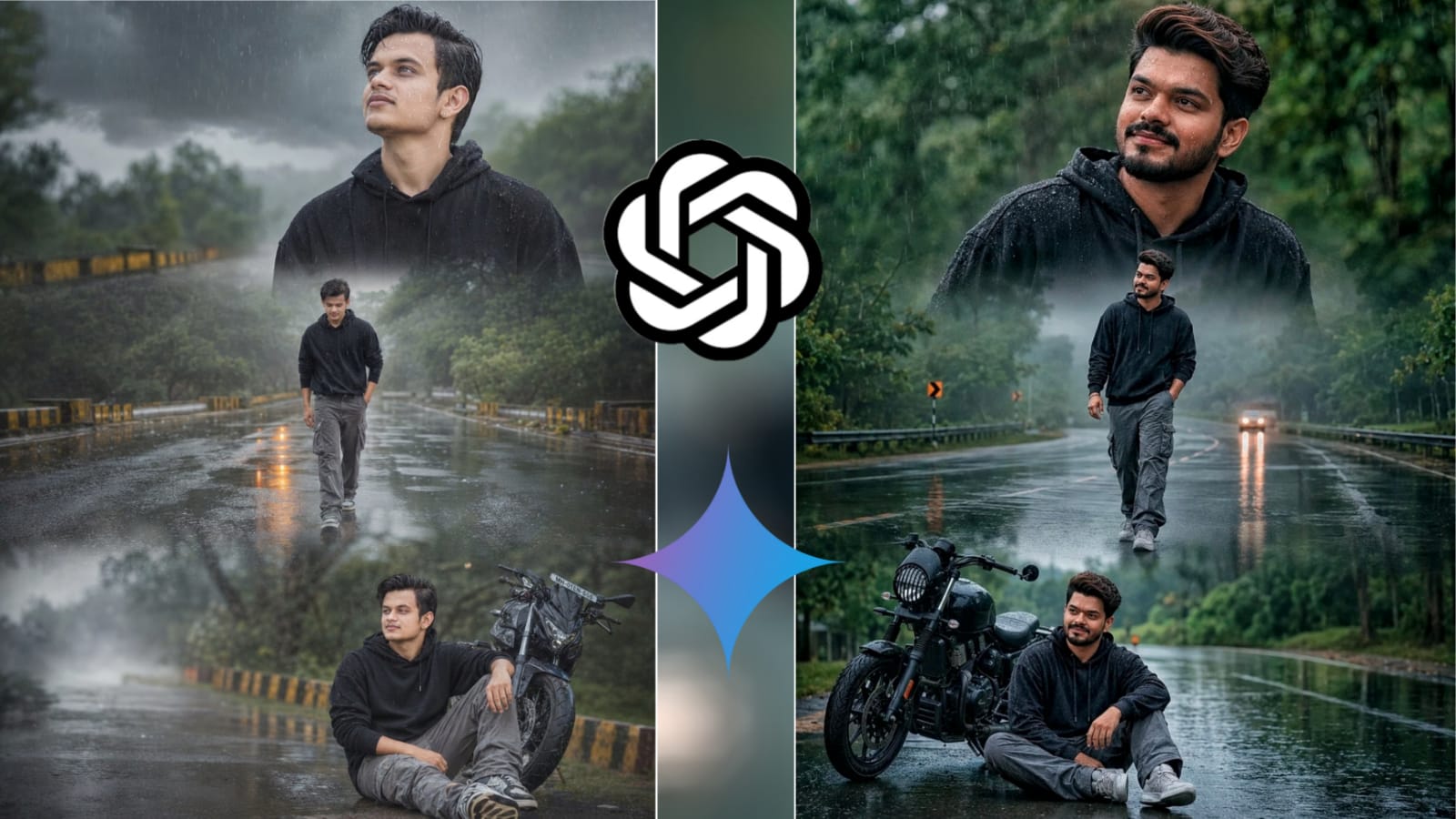
Monsoon photography has a unique charm. Wet roads, misty landscapes, glowing reflections, and dramatic clouds can instantly transform an ordinary portrait into a cinematic masterpiece. Traditionally, creating such edits required advanced Photoshop skills, stock overlays, and hours of manual work. Today, AI tools like ChatGPT and Google Gemini make the process much faster and more accessible.
The image above is a perfect example of how AI can turn a simple portrait into a premium monsoon-themed collage with realistic rain effects, atmospheric fog, and cinematic storytelling.
Why Rainy Season Edits Are So Popular
Rain edits create an emotional connection with viewers. The combination of cloudy skies, reflective roads, and soft rain particles adds mood and depth to photos. These edits perform especially well on Instagram, YouTube thumbnails, and social media because they look cinematic and instantly grab attention.
The key elements of a great monsoon edit include:
- Wet reflective roads
- Realistic rain particles
- Fog and mist effects
- Moody green backgrounds
- Soft daylight lighting
- Cinematic color grading
- Natural skin tones
- Storytelling poses
Using ChatGPT for AI Photo Editing Prompts
ChatGPT helps you create highly detailed prompts for AI image generators. Instead of spending time describing every visual element manually, you can simply explain your vision and ChatGPT will generate a professional prompt.
For example, you can upload a portrait and ask ChatGPT to:
- Keep the original face unchanged
- Change the background into a rainy road
- Add cinematic reflections
- Create multiple frames in a collage
- Improve lighting and atmosphere
The more detailed the prompt, the better the AI-generated result will be.
Using Google Gemini for Reference-Based Editing
Google Gemini is excellent for analyzing reference images and helping refine prompts. You can upload your portrait and ask Gemini to identify:
- Facial features
- Lighting conditions
- Camera angles
- Background details
- Clothing suggestions
Then combine those observations with a detailed editing prompt to generate realistic monsoon scenes.
Creating a Cinematic Rainy Collage
A popular editing style is the three-frame cinematic collage:
Frame 1 – Emotional Portrait
The subject looks toward the sky while raindrops fall gently across the face. This creates a dramatic and emotional mood.
Frame 2 – Walking Scene
The subject walks alone on a wet road surrounded by greenery and mist. Reflections on the road add depth and realism.
Frame 3 – Storytelling Shot
The subject sits beside a motorcycle on a rainy road, creating a thoughtful and cinematic ending to the collage.
When combined together, these frames tell a visual story rather than showing just a single portrait.
Tips for Better Results
- Use a high-quality reference photo.
- Make sure the face is clearly visible.
- Ask AI to preserve facial features exactly.
- Include camera, lighting, and atmosphere details.
- Specify image ratio (4:5 works best for Instagram).
- Mention realistic skin texture and HDR lighting.
- Avoid over-editing facial details.
Copy & Use This Prompt
ratio 4:5,Use the person from the reference photo as the main subject. Keep their exact facial features, hairstyle, skin tone, and expression perfectly unchanged preserve all realism, emotional depth, and subtle facial lighting. Allow changes
only in camera position, background motion, outfit and atmosphere. brown skin, Create ultra-premium rainy road cinematic collage in vertical 4:5 ratio with three emotional frames during bright overcast daylight after rain. Same exact face in all frames. Wear black oversized hoodie, grey cargo
pants and sneakers. Top frame looking upward at sky with
raindrops on face, middle frame walking alone on wet road,
bottom frame sitting beside bike thoughtfully. Bright reflective wet road, green trees, foggy atmosphere, glowing road reflections, realistic rain particles, cinematic puddles, ultra-detailed clouds, soft dreamy transitions, Nikon Z9 DSLR realism, crystal-clear skin texture, premium HDR lighting, ultra-sharp details, 20MB photo quality, viral Instagram mood.
AI-powered photo editing is changing the way creators produce content. With ChatGPT generating detailed prompts and Google Gemini helping refine ideas, anyone can create professional-looking rainy season and monsoon edits without advanced editing skills. The secret is combining a strong reference image with a detailed cinematic prompt that guides the AI toward a realistic and visually engaging result.